
Turn Your iMac into a Stunning External Display Installation Guide - Macfixit Australia
Skip to content

Turn Your iMac into a Stunning External Display - Installation Guide


Take that beautiful iMac display — still sharp, vibrant, and high-resolution — and give it a brand new purpose. With the right display driver board kit, you can transform your old iMac into a fully functional external monitor that works with any modern Mac, PC, or gaming console. It's one of the best ways to reduce e-waste and get more life from a great piece of tech.

⚠️
Important — Read Before Purchasing Once converted, the iMac will no longer function as a standalone computer. The built-in camera, microphone, and speakers will not work after installation. This kit transforms your iMac into a dedicated external monitor only
How to find your iMac model: Flip the stand over and look for the model identifier printed on the label. You can also go to Apple menu → About This Mac → Overview to see the year. Use the year and screen size below to pick the right board.

iMac 27-inch

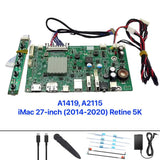
27 inch 2014-2020 5K Display Driver Board
iMac 27" 2014–2020 5K
5K Retina USB-C out

Buy Now Installation Guide
27 inch 2012-2013 Display Driver Board
iMac 27" 2012–2013 Thin
2K USB-C out

Buy Now Installation Guide
27 inch 2009-2011 Display Driver Board
iMac 27" 2009–2011 Thick
2K USB-C out

Buy Now Installation Guide

iMac 21.5-inch

21.5 inch 2015-2019 4K Display Driver Board
iMac 21.5" 2015/ 2017/2019 4K
4K Retina USB-C out

Buy Now Installation Guide
21.5 inch 2012-2017 Non-Retina Display Driver Board
iMac 21.5" 2012–2017 2K
Full HD USB-C out

Buy Now Installation Guide

Watch the Installation

What's Included & What You'll Need

Included in Kit

  • Display driver board
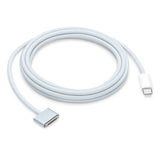
  • USB-C cable
  • Display adhesive cutter
  • Replacement display adhesive strips
  • Power adapter

You'll Also Need

  • T8 & T10 Torx screwdrivers
  • Double-sided foam tape
  • Plastic pry tool / spudger
  • Anti-static wrist strap (recommended)
  • Soft cloth or foam mat

Need a screwdriver kit? Shop the 80-piece Toolkit

Installation Service

Prefer Professional Installation?

Our certified technicians can handle the full installation for you, ensuring a flawless result. Available for all display driver board models.

Book Installation Service

Why Convert Your iMac?

  • Recycles your old tech and reduces e-waste
  • Saves hundreds compared to buying a new monitor
  • Keeps that beautiful Retina or high-res display in daily use
  • Perfect for dual-monitor setups with a modern Mac or PC
  • A satisfying DIY project with a great outcome

Still Not Sure Which Board You Need?

Send us your iMac model number and year — we'll point you to the right kit.

Email helpdesk@macfixit.com.au
Previous article Supercharge Your Storage Workflow: Meet the OWC Express 1M2
Next article How to Upgrade the SSD in Your Mac mini M4 or M4 Pro (2024)