

MacBook Pro Battery Replacement Australia | OEM Batteries & Fitting | Macfixit - Macfixit Australia Skip to content

MacBook Pro Battery Replacement

MacBook Pro Battery Replacement

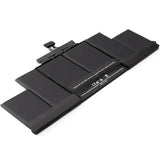
Bring your MacBook Pro back to full run-time with a premium model-specific replacement battery — OEM-grade cells, fully tested, and backed by a 1-Year Australian Warranty.

The battery cycle count is the clearest indicator of your MacBook Pro’s battery condition — if you’re nearing 1,000 cycles, it’s time to replace it. Enter your A number below to find the exact battery for your model. Replace the original OEM cell yourself with our DIY kits and video guides for well under $200, or let our certified technicians handle the full installation for you.

Find the Right Battery for Your Mac
Enter the A number printed on the underside of your MacBook’s bottom case — we’ll match it to the exact replacement.
Recommended Tools for a DIY Install
Everything you need to replace your MacBook battery safely at home.
Most Popular
80 Piece Advanced Toolkit
Loading…
  • Professional grade tools
  • For MacBook repairs & upgrades
  • Durable and long-lasting
View Toolkit →
Battery Replacement Kit
Tool Kit Set for Battery Replacement
Loading…
  • Essential tools included
  • Perfect for battery replacement
  • Safe for your MacBook
View Toolkit →
1-Year Warranty
Plus a 30-day money-back guarantee.
Fast Shipping
Quick delivery across Australia.
Expert Support
Our certified technicians are here to help.
Choose Your Model
Live pricing — click Buy Now to order the exact battery for your MacBook.
Loading battery models…
MacBook Battery Installation Service by Macfixit Australia certified technicians
Professional Service Available
Prefer We Fit It For You?

Our certified technicians at Macfixit Australia can replace your MacBook battery professionally. Mail your MacBook to us from anywhere in Australia — we’ll install, test, and ship it back within 1–2 business days.

Loading…
View Battery Installation Service →

Model-Specific Fit

Engineered to match your exact MacBook model for a perfect, factory-grade fit.

Longer Battery Life

Built with premium Lithium-Ion cells for dependable run-time and longevity.

Easy DIY Install

Step-by-step instructional videos and tool kits make replacement straightforward.

1-Year Warranty

Every battery is backed by a 1-Year Australian Warranty and 30-Day Money-Back Guarantee.

We Also Install Apple Original Batteries

For MacBooks that are not marked as Vintage in Apple’s system, we offer installation of genuine Apple Original batteries. This is a different process from our standard service and pricing varies. Contact us for a quote and to check eligibility for your model before ordering.

Contact Us for Pricing →

Frequently Asked Questions

How do I check the battery health on my Mac?
Open the Apple menu → System SettingsBatteryBattery Health to see your Maximum Capacity percentage. For the exact cycle count, hold Option (⌥), click the Apple menu, choose System Information, then select Power under Hardware. If the status reads “Service Recommended” or capacity is below 80%, it’s time to consider a replacement.
How much does it cost to replace a MacBook Pro battery?
Our MacBook Pro battery kits range from around $109 to $199 depending on the model — a far more affordable solution than buying a new battery from Apple. Replacing a Retina-display Pro battery is a little more involved but very doable as a DIY project, and some kits include all the tools and instructional videos. Professional installation by our certified technicians is also available.
How long does a Mac battery last?
It depends on how you use your Mac. If you regularly run on battery and let it discharge, expect roughly 3–5 years before a replacement is needed. If you mostly use it plugged in as a desktop, you’ll go through fewer charge cycles and the battery can last considerably longer. Apple Silicon (M1–M4) and recent Intel Macs are rated for up to 1,000 cycles; models before 2010 typically last 300–500 cycles.
What is a good battery cycle count?
A battery with under 300 cycles should still deliver strong run-time, while one approaching or exceeding 1,000 cycles is generally at or near the end of its useful life. Age matters too — an older battery with few cycles can still hold less charge than a newer one with more cycles. If you’re buying a used Mac (2010 or later) to keep for 3+ years, look for one with 300 cycles or fewer.
Is a swollen or bloated battery dangerous?
Yes. A failing lithium battery can swell even while macOS reports a “Normal” condition. If your trackpad is lifting or the case is separating, stop using the Mac immediately — a swollen battery is a fire and safety hazard. Replace it promptly to avoid damaging other components.

How to Find Your MacBook’s A Number

The A number is printed on the underside of your MacBook’s bottom case.
Flip it over and look for “Model A” followed by 4 digits.

1

Flip your MacBook over

Turn your MacBook upside down so the bottom case is facing up.

2

Find the model label

Look for the small text near the centre of the bottom panel. You will see “Model AXXXX” or similar — the 4-digit number after the “A” is your A number.

MacBook Pro bottom case showing model A number location