
MacBook Battery Finder — Find the Right Battery for Your Mac - Macfixit Australia Skip to content

MacBook Battery Finder — Find the Right Battery for Your Mac

MacBook Battery Finder

Enter your Mac’s A number to instantly find the exact replacement battery. Fast, accurate — no guesswork.

Find My Battery
Enter the A number from System Information → Power, or printed inside your MacBook’s battery compartment
How do I find my Mac’s A number?
3 ways to find your Mac’s A number:1. System Information: Hold Option + click Apple menu → System Information → Hardware Overview → Model Identifier
2. Battery compartment: On older MacBook Pros, the A number is printed on the battery itself
3. Bottom of the Mac: Look for small text on the underside near the serial number — you will see “Model: AXXXX”
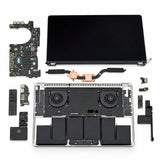
Tool Kit Set for Battery Replacement
Recommended — Replace with Confidence
Tool Kit Set for Battery Replacement
Includes precision screwdrivers, spudger, tweezers & opening cards — everything you need for a clean battery swap.
View Toolkit →

When to Replace Your Battery

  • Maximum capacity below 80%
  • Cycle count approaching 1,000 (500 for older models)
  • Mac shuts down unexpectedly
  • Battery swelling (trackpad lifting or case separating)
  • Service Battery warning in menu bar

How to Check Battery Health

  • macOS Ventura+: Apple menu → System Settings → Battery → Battery Health
  • Older macOS: Hold Option → click battery icon in menu bar
  • Detailed info: Apple menu → System Information → Power
  • Check cycle count and condition status

Expected Battery Lifespan

  • M1/M2/M3/M4 Macs: Up to 1,000 cycles (~3–5 years)
  • Intel Macs (2010+): 500–1,000 cycles
  • Older Macs (pre-2010): 300–500 cycles
  • Daily unplugged use: expect 3–5 years

Swollen Battery Warning

If your trackpad feels raised, the keyboard does not sit flat, or the case appears warped — stop using the Mac immediately. A swollen lithium battery is a fire and safety hazard. Replace it as soon as possible.

Tip: How to Extend Your Battery LifeEnable Optimised Battery Charging in System Settings → Battery. This delays charging past 80% when your Mac is plugged in for extended periods, reducing chemical degradation and extending overall lifespan.
MacBook Air Batteries
Model A Number(s) Link
MacBook Air 11" (2011–2015) A1370A1465 Buy Battery →
MacBook Air 13" (Late 2010–2017) A1369A1466 Buy Battery →
MacBook Air 13" (Late 2018–Early 2020) A1932A2179 Buy Battery →
MacBook Air 13" (M1, 2020) A2337 Buy Battery →
MacBook Air 13.6" (M2/M3, 2022/2024) A2681A3113 Buy Battery →
MacBook Air 15" (M2/M3, 2023/2024) A2941A3114 Buy Battery →
MacBook (12-inch)
Model A Number(s) Link
MacBook 12" (2015–2017) A1534 Buy Battery →
MacBook Pro Batteries
Model A Number(s) Link
MacBook Pro 13" Non-Retina (2009–2012) A1278 Buy Battery →
MacBook Pro 15" Unibody (2009–2010) A1286 Buy Battery →
MacBook Pro 17" Unibody (2009–2010) A1297 Buy Battery →
MacBook Pro 15" Unibody (2011–2012) A1286 Buy Battery →
MacBook Pro 17" Unibody (2011) A1297 Buy Battery →
MacBook Pro 13" Retina (Late 2012–Early 2013) A1425 Buy Battery →
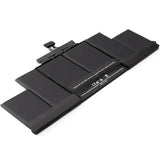
MacBook Pro 15" Retina (2012–2013) A1398 Buy Battery →
MacBook Pro 13" Retina (Late 2013–Early 2015) A1502 Buy Battery →
MacBook Pro 15" Retina (Late 2013–Mid 2015) A1398 Buy Battery →
MacBook Pro 13" 2x TB (2016–2017) A1708 Buy Battery →
MacBook Pro 13" Touch Bar (2016–2017) A1706 Buy Battery →
MacBook Pro 15" (2016–2017) A1707 Buy Battery →
MacBook Pro 13" Touch Bar (2018–2020) A1989A2251 Buy Battery →
MacBook Pro 15" Touch Bar (2018–2019) A1990 Buy Battery →
MacBook Pro 13" 2x TB (2019) A2159 Buy Battery →
MacBook Pro 16" (2019) A2141 Buy Battery →
MacBook Pro 13" 2x TB (2020) A2289 Buy Battery →
MacBook Pro 13" (M1/M2, 2020–2022) A2338 Buy Battery →
MacBook Pro 14" (M1/M2/M3, 2021–2023) A2442A2779A2918 Buy Battery →
MacBook Pro 16" (M1/M2, 2021–2023) A2485A2780 Buy Battery →

Questions? Email helpdesk@macfixit.com.au — our team is happy to help identify the right battery for your Mac.

Next article macOS & Apple OS Firmware Downloads — Every Version, Every Device