OWC
Thunderbolt Go Dock
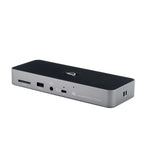
The first full-featured Thunderbolt dock without a bulky, heavy power adapter, so you can go anywhere easier and connect it all with Thunderbolt and USB-C Macs, PCs, iPads, Chromebooks, and Android devices.
Everything. Everywhere. Easier.
While life is often full of compromises, your dock shouldn’t be.
You should be able to move your workflow from the desktop to the road easily on short notice without having to choose what device or accessory to leave behind.
Connect everything you want everywhere you call a workspace easily with the OWC Thunderbolt Go Dock. Say goodbye to a heavy, bulky power adapter slowing you down. Or a bus-powered mini dock not having the complete ports you need. Simply plug the power cable of this world’s first full-featured Thunderbolt dock with a built-in power supply into a standard outlet in coffee shops, airports, vehicles, video production carts, and more to put 11 ports of connectivity empowerment at your fingertips.
Go Connect It All
Get ahead at work and play by connecting an incredible array of past, present, and future Thunderbolt and USB devices and accessories to the Thunderbolt Go Dock. Tap into high-performance storage capacity including NVMe solutions. Record and livestream with an A/V mixer. Expand your capabilities with a PCIe expansion enclosure. Enjoy the feel of your favorite keyboard and mouse. Nearly any connectivity need you have or want is possible with a diversity of Thunderbolt and USB ports.
When Mobile Is Better Than Portable
You want to connect it all and have it all work flawlessly. While bus-powered portable docks are great for most common uses, they can only provide so much power from the host computer. When you want to push your abilities to the max, the mobile ready Thunderbolt Go Dock’s built-in power supply gives you the juice you need. And it lets you take a fabulous diversity of connectivity anywhere easier by eliminating the need to carry around a pain-in-the-neck/shoulder/back power brick.
A Multi-Connectivity Solution for Millions
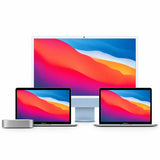
It’s a hassle trying to figure out or remember what interface your gear and computer has so you can use it all with a dock. Whether you have a Thunderbolt or USB-C Mac, PC, iPad, Chromebook, or Android device, the Thunderbolt Go Dock’s uplink port utilizes a USB-C connector to give you a multi-connectivity solution for millions of past, present, and future (yes even USB4!) computers and devices1.
Turn Your Tablet into A Computer
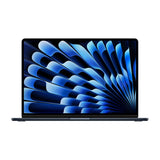
With the Thunderbolt Go Dock, you can turn your tablet into a full computing platform with capabilities that exceed many desktop and notebook computer setups. Now you can transform one port on your tablet into 11 ports so you can read/write SD card media, share files in a blink on a high-speed network, free up your internal storage by offloading to an external drive, and work easier with a larger external display, mouse, and full-sized keyboard. You can even turn your tablet into a desktop video, audio, or podcasting recording and editing setup. The possibilities of how you can use the Thunderbolt Go Dock to redefine your tablet computing experience are nearly limitless.
Work Up to 2.5x Faster
Many of today’s computers and tablets either don’t provide a network port (ugh…slow low-quality Wi-Fi) or feature the older 1Gb/s standard. Now you can transfer, copy, and/or edit files and work up to 2.5x faster over wired networks and enjoy increased productivity in an IP-based workflow with the Thunderbolt Go Dock’s 2.5Gb/s Ethernet port. Or, connect to a NAS for faster data access, backup, and 4K video streaming and editing2.
Ingest in a Blink
Another “one less thing to carry” benefit for you is the built-in SD card reader. Video footage and photos are a part of daily life, and the Thunderbolt Go Dock lets you ingest your creative content conveniently fast. You can also use the reader like an external drive and store or backup files at will.
Go Multiple
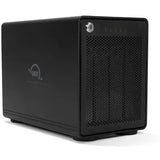
In the past, daisy chaining external Thunderbolt storage required you to place it close to the front of the chain to get fast and reliable performance. That wasn’t possible with bus-powered drives. They had to be placed last in the Thunderbolt chain as the chain was limited to just one bus-powered device. Now you can connect multiple Thunderbolt drives and SSDs directly to the Thunderbolt Go Dock to experience the fastest speed your storage devices can deliver.
Go Higher
As a digital nomad, hybrid employee, or creative production pro, you need to be able to expand your notebook’s single display – imagine…TWO 4K displays! - for maximum productivity at a temporary work location. With the Thunderbolt Go Dock’s Thunderbolt technology and HDMI 2.1 port with full HDR, you can view more detail and make edits easier on up to an 8K display. Edit large format video on one 4K display while previewing the raw playback on a second 4K display. Whatever your workstation display needs, the Thunderbolt Go Dock gives you the vision to go to a higher level 3,4.
Go Energized
Keep your notebook ready for mobile use with the Thunderbolt Go Dock’s dedicated 90W power delivery Thunderbolt uplink port. You can also keep devices powered/charging on the other two Thunderbolt and four USB ports. Whether you’re taking a break or are done for the day, the Thunderbolt Go Dock continues to power and/or charge connected devices.
Simply Cleaner & Easier
Having a built-in power supply with your Thunderbolt Go Dock keeps your life simple. With one less power brick in your desktop setup, there’s less clutter for cleaner cable management. When mobile with another dock, if you lost its power brick, you are dead in the water. If you happen to misplace the Thunderbolt Go Dock’s standard and common 2-prong "figure 8" power cord, you likely already have one you can “borrow” from another device or can easily stop in at a local store for a replacement and keep working.
Disconnect in One Click
Safely disconnect multiple drives in a single click.
OWC Dock Ejector was designed by OWC hardware and software engineers to ensure all data is written before disconnection, saving time and protecting against data loss. It makes losing your hard-earned work a thing of the past.
Play and Burn CDs and DVDs
OWC Dock Ejector software also includes a special driver that enables you to use an Apple SuperDrive with the Thunderbolt Go Dock. Just connect the SuperDrive to an open USB-A port on the dock for bus power to watch a DVD movie, listen to music CDs, create a backup disk, and install software.
Stabilize Thunderbolt and USB-C Cables
Unexpected disconnects during file transfers or a work session can cause some serious headaches. OWC ClingOn (NOTE link to ClingOn site landers) custom cable stabilizers (sold separately) screw into the OWC Thunderbolt Go Dock’s housing to secure your Thunderbolt (USB-C) connections so you can work with confidence even in the most active work environments.
Go Complete
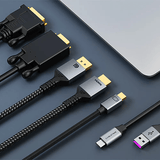
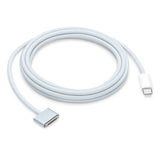
The Thunderbolt Go Dock comes with a certified 0.7M OWC Thunderbolt (USB-C) Cable. But if your workflow demands a different length to make the connection,
OWC Thunderbolt (USB-C) Cables are the perfect choice.
Highlights
-
Go easier: Built-in power supply eliminates heavy power brick hassle while enabling more workflows vs bus-powered docks
-
Go everything: One dock that works with all your Thunderbolt and USB-C devices
-
Go faster: Enhance network-based workflows and transfer files up to 2.5x faster than standard 1GbE
-
Go energized: Keep your notebook travel ready with up to 90W charging power
-
Go everywhere: Enjoy mobile connectivity with a rugged, solid aluminum heat dissipating fanless design
-
Innergize™ Enabled: custom OWC software for complete health, performance, and field upgrade management when using OWC Atlas Memory Cards with OWC Atlas Card Readers and card reader-equipped products
-
Dante compatible: easy Plug and Play - no software needed - into networks designed for bit perfect audio with super low latency and sample accurate synchronization
- 2 Year OWC Limited Warranty