I ordered the 0TB Thunderbay 8 (enclosure only), to replace a previous USB 3.1 based 5 bay enclosure from a different brand, after that previous enclosure started to have reliability issues. So far, the experience has been excellent.
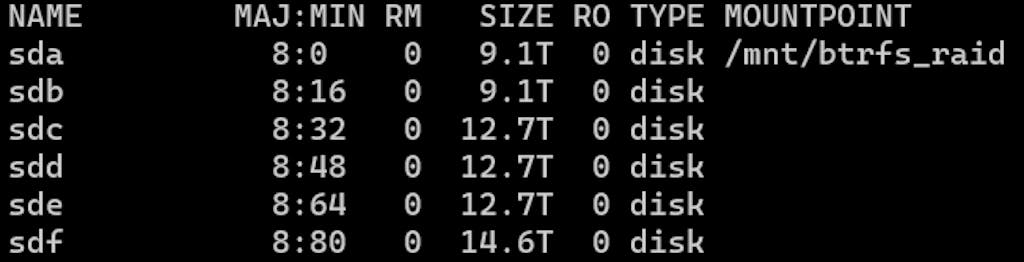
For some background, I am using the Thunderbay 8 attached via Thunderbolt 3 to an Intel NUC10I5FNK, running Debian Linux 11.6, kernel 5.10.0-21-amd64. The drives are 6 Western Digital Red Pros/Ultrastar DC drives, formatted with BTRFS RAID 1. The system acts as an always-on server and NAS, constantly downloading and serving files from the drives.
Even though this isn't really an intended usecase for the Thunderbay 8, the experience has been flawless. The Thunderbay 8 has excellent built quality, with great airflow and thermals, quiet operation, and a very robust chipset and hardware implementation. There has been zero issues with running it indefinitely.
My first impressions were of the packaging and build quality. The Thunderbay is excellently packaged, and comes with all the cables required for easy setup. It also comes with a really nice dust cover/storage bag which makes removing it from the packaging easy.
The unit is solidly built and very clean looking, based around an extruded aluminium casing. Inserting the drive caddies feels really smooth and nice, with good positive feedback once the drives are connected. The built quality is very premium and is a massive step up from other similarly featured (but cheaper) enclosures, and you can really tell that everything has been considered and well thought out.
Operating the Thunderbay 8 is also excellent, as expected. The included fan is very quiet, barely audible over the noise of the spinning drives. If you were running with SSDs however, the fan is very easy to swap out, so a Noctua could be swapped in for an even quieter experience. It's just two screws to remove and the panel hinges back, allowing the fan to be swapped without disassembling anything further. This is a massive improvement over most cheaper enclosures, which require full disassembly to swap out a bad fan. Ask me how I know...
Most importantly of all, the Thunderbay 8 has a solid, trustworthy chipset, based on Thunderbolt 3. It exposes two JMicron JMB585 SATA controllers natively over PCI Express. These are common, well tested SATA controllers used in many other systems. They have rock solid Linux drivers and appear as native PCI Express attached devices. It's basically the same experience as having the drives attached directly to the motherboard, which is really important when you want rock solid reliability. Bulk read speeds are well over 1000MB/s.
This has proven to be a massive upgrade over my previous USB 3.1 based drive enclosure, which instead exposed the drives as UAS devices using a chain of internal USB 3.1 hubs to individual USB 3.1 to SATA controllers. These always had intermittent issues, such as drives disappearing, dropping commands, and random bugs in USB 3.1 Link Power Management. The PCIe controllers are infinitely better.
Overall, I very much recommend the Thunderbay 8. It's definitely expensive, but what you get is absolutely rock solid, with an actual warranty to back it up as well. When you consider the cost of the drives themselves, and the value of the data on them, I think that it's absolutely worth investing in an enclosure that has been well designed for professional use, and will continue to "just work" flawlessly. I would absolutely purchase it again.