








OWC Thunderbolt 5 Hub

Thunderbolt 5 Hub
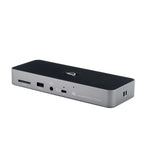
Turn one Thunderbolt cable into three Thunderbolt 5 ports plus a USB-A port.
Add More Thunderbolt 5 Ports for More Connectivity
Explore a new world of workflow possibilities and state-of-the-art performance with the OWC Thunderbolt 5 Hub — the perfect compact solution to the big problem of not having enough Thunderbolt 5 ports. Turn a single cable connection from your machine into three Thunderbolt 5 ports and one USB-A port.
With up to 80Gb/s of bi-directional data speed — up to 2× faster than Thunderbolt 4 and USB4 — and up to 120Gb/s for higher display bandwidth needs, you’ll redefine your productivity.

More Ports, More Possibilities

Bi-Directional Bandwidth Bliss
Its bi-directional design means you can send AND receive data simultaneously at maximum speed. Connect two OWC Atlas USB4 CFexpress card readers at 3300MB/s each while backing up to high-speed SSDs like the OWC ThunderBlade or Envoy Ultra, exceeding 6000MB/s.
With that blissful real-world bandwidth, you’ll finish projects faster.
Built for Speed
Up to 2× faster than Thunderbolt 4 and USB4.

More Pixels and Power Than Ever Before
Drive up to three 8K displays with the Hub’s Bandwidth Boost technology for up to 120Gb/s — up to 3× faster than Thunderbolt 4 — of intelligent bandwidth allocation for video-intensive work.
Send 140W of power delivery to a demanding notebook to keep it powered and ready for mobile use. Quite simply, the Thunderbolt 5 Hub gives you more to do more than ever before.
Maximum Speed — Yesterday, Today & Tomorrow
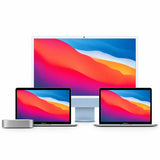
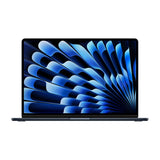
Use the OWC Thunderbolt 5 Hub with more than incredibly fast Thunderbolt 5 machines. With 100% USB-C compatibility, connect millions of Macs, iPads, PCs, Chromebooks, Android tablets, and Surface devices and enjoy their maximum possible performance. Whether you have a new Thunderbolt 5 computer or want future-proof connectivity, the Hub is the universally compatible high-performance solution.


Create a Tablet ProStation
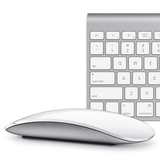
iPads and tablets offer awesome content-creation potential, but they’re handcuffed by limited storage, display size, and a single Thunderbolt (USB-C) port. Capture what you need on the fly, then back at your desk transform that tablet into a “prostation” — external display, keyboard, mouse, and drives all connected through the OWC Thunderbolt 5 Hub.

Disconnect in One Click
Safely disconnect multiple drives in a single click. The free OWC Dock Ejector app — built by OWC hardware and software engineers — ensures all data is written before disconnection, saving time and protecting against data loss.
What’s in the Box
- (1) OWC Thunderbolt 5 Hub
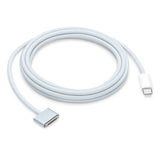
- (1) 0.8M (31″) Thunderbolt 5 Cable
- (1) External Power Supply and Power Cable
- (1) Getting Started QR Insert
- OWC Dock Ejector for Mac and Windows (download)
- 2 Year OWC Limited Warranty

Work with Ultimate Confidence
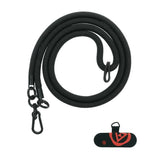
Active workspaces expose gear to bumps, shoves, or the random tail wag from a pet. OWC ClingOn custom cable stabilizers (sold separately) screw into the housing to reduce — if not completely eliminate — cable strain on Thunderbolt and USB-C connections, so you can work with confidence even in the highest-traffic environments.

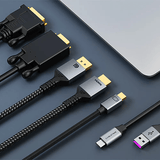
Thunderbolt 5 Cable Included
The OWC Thunderbolt 5 Hub ships with a certified 0.8-meter (31″) OWC Thunderbolt 5 (USB-C) cable. If your workflow demands a different length, OWC Thunderbolt 5 (USB-C) cables are the perfect choice.

Certified Satisfaction
All OWC Thunderbolt connectivity solutions undergo rigorous development and mandatory Thunderbolt certification, so the Hub reliably delivers the functionality you expect. Backed by a 2 Year OWC Limited Warranty and renowned support.
- 100% compatible with Thunderbolt 5/4, USB4, and USB-C. Thunderbolt 3 support is for Thunderbolt 3 Macs only (not Thunderbolt 3 PCs).
- Up to three 8K displays at 60Hz, or two 8K displays at 120Hz; display support depends on host computer capabilities.
New to Thunderbolt? Learn More
Not sure which generation you need? These quick guides explain the differences — no jargon.


Not sure which Thunderbolt solution you need?
Tell us your Mac and what you want to connect or store, and our certified technicians will recommend the right gear. Email helpdesk@macfixit.com.au.