

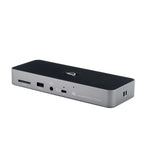







OWC Thunderbolt 5 Dock

Thunderbolt 5 Dock (11-Port)
11 ports of Thunderbolt 5 through a single cable, with up to 140W charging.
Advanced Capabilities for Everyday to Expert Connectivity
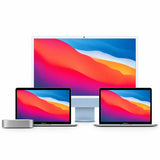
Whether you’re a tech enthusiast or a creator working on your latest masterpiece, the Thunderbolt 5 Dock is the perfect all-in-one solution to streamline your setup and maximize your productivity. With the unrivaled speed of Thunderbolt 5, you’ll transfer data faster and gain more time for creating, editing, and producing — from legacy devices to the latest Thunderbolt 5 SSDs, all through a single Thunderbolt port on your Mac, iPad, PC, Chromebook, or tablet.
Seamlessly connect a myriad of devices — memory cards, NAS storage, Thunderbolt and DisplayPort displays, desktop peripherals and more — with universal USB/USB-C compatibility. Experience sharper, smoother visuals on up to three 8K displays, and keep your notebook charged with up to 140W of power.

Everything You Need, One Connection

Unlock Your Potential with Maximum Bandwidth
The trio of Thunderbolt 5 ports isn’t just an impressive spec — it’s the key to your full potential, maximizing bandwidth both upstream and downstream to your devices.
Transfer massive media files by connecting two USB4 CFexpress Type B card readers (up to 3330MB/s each) alongside an OWC ThunderBlade X12 or Envoy Ultra with 6000MB/s+ write speeds — dramatically cutting backup times. Drive up to three 8K HDR monitors at 60Hz with DSC on Windows, or two 6K displays on Mac.
Maximum Speed — Yesterday, Today & Tomorrow
Up to 2× faster than Thunderbolt 4 and USB4, with 100% USB-C compatibility across millions of Macs, iPads, PCs, Chromebooks, and tablets.

A Supporting Cast at Your Fingertips
Connect peripherals with two USB-A 10Gb/s ports and one USB-A 5Gb/s port — external drives, keyboards, or mice, all at high speed.
Quickly offload photos and videos with the high-speed microSD and SD 4.0 UHS-II slots.
The 2.5GbE port gives a stable, swift connection for remote collaboration and cloud services.
Whether producing a track or podcasting, your headphones or microphone plug straight into the audio jack.
Ports & Highlights
- 3 × Thunderbolt 5 (USB-C) Ports
- 2 × USB 3.2 (10Gb/s) Type-A
- 1 × USB 3.2 (5Gb/s) Type-A
- 2.5 Gigabit Ethernet
- SD & microSD 4.0 (UHS-II) Card Readers
- Analog Audio In/Out
- 140W Power Delivery
- Triple (3) display support up to 8K
- Compatible with Thunderbolt 5/4/3, USB4, or USB-C
- For Mac, PC, and iPad Pro
What’s in the Box
- 11-Port OWC Thunderbolt 5 Dock
- 1.0M (39″) Thunderbolt Cable
- External Power Supply and Power Cable
- Quick Start Guide & User Guide
- OWC Dock Ejector for Mac and Windows (software download)
- 2 Year OWC Limited Warranty

Safely Disconnect with OWC Dock Ejector
Eject the dock and all connected drives in a single click with the free OWC Dock Ejector app for Mac and Windows. It ensures all data is written before any drive is unmounted — protecting against data loss.

Stabilize Cables with OWC ClingOn
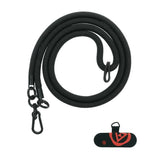
Active workspaces expose gear to bumps and shoves. OWC ClingOn custom cable stabilizers (sold separately) screw into the dock’s housing to reduce cable strain on Thunderbolt and USB-C connections, so you can work with confidence.

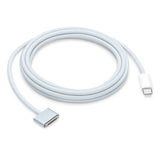
Thunderbolt Cable Included
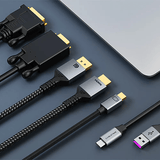
The OWC Thunderbolt 5 Dock ships with a certified 1.0-meter (39″) OWC Thunderbolt cable. If your workflow demands a different length, OWC Thunderbolt (USB-C) cables are the perfect choice.

OWC, Trusted by Pros & Enthusiasts the World Over
We build our hardware to the highest standards of reliability and performance. Because 100% reliability is always the goal, we rigorously quality-test and back the Thunderbolt 5 Dock with a 2 Year OWC Limited Warranty and renowned support.
- Thunderbolt 5 provides up to 80Gb/s bi-directional data and up to 120Gb/s for video-heavy workflows (Bandwidth Boost); actual throughput depends on host and connected devices.
- 2.5x faster networking compares the dock’s 2.5GbE port to a standard 1GbE connection.
- Up to three 8K HDR displays at 60Hz with DSC (or 30Hz without) on Windows, and up to two 6K displays on Mac; display support depends on host computer capabilities.
New to Thunderbolt? Learn More
Not sure which generation you need? These quick guides explain the differences — no jargon.


Not sure which Thunderbolt solution you need?
Tell us your Mac and what you want to connect or store, and our certified technicians will recommend the right gear. Email helpdesk@macfixit.com.au.