

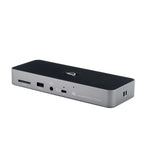
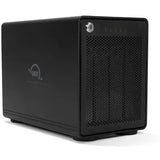








OWC Mercury Helios 5S

Mercury Helios 5S
External Thunderbolt 5 PCIe expansion for Macs and PCs, with three extra TB5 ports.
Expand Your Capabilities Effortlessly
Give your notebook, small form factor, or all-in-one desktop pro-grade, full-size workstation capabilities. Use ultra-fast storage, 8K video capture, audio DSP, or high-speed networking PCIe cards over a single Thunderbolt or USB4 connection — with no tools required.
Plus, three additional Thunderbolt 5 ports give you a handy next-gen connectivity hub. Mercury Helios 5S lets you think outside the traditional bulky desktop box when it comes to PCIe-based workflows.

Everything You Need to Add a PCIe Slot

Full-Speed PCIe Performance Ahead
Forget the belief that internal is always faster than external. Mercury Helios 5S delivers up to 6000MB/s of bandwidth, so you can run modern PCIe 4.0 cards at full speed while still accommodating data-hungry external Thunderbolt drives.
Whether you’re editing multi-cam 8K footage, running real-time audio processing, or moving terabytes across a 25GbE network card, you get the performance you’d expect from an internal PCIe slot with the flexibility of an external one.

Install Cards in Seconds
A tool-free design compatible with half-length, full-height, single or double-width pro-level cards from leading brands like AJA, Apogee, ATTO, Avid Pro Tools, Blackmagic Design, RME, Universal Audio, and OWC.
- Disconnect the Thunderbolt cable and power cord from Mercury Helios 5S.
- Loosen the two captive thumb screws and install your PCIe card.
- Reconnect the Thunderbolt cable and power cord.
If your PCIe card requires a driver, always follow the manufacturer’s instructions for installation.
Triple Your Possibilities
Beyond PCIe expansion, Mercury Helios 5S is a space- and money-saving way to add both capability and convenience to your workspace. With three Thunderbolt 5 (USB-C) ports — each capable of 80Gb/s throughput and 15W of power delivery — you can easily connect high-performance drives, 8K displays, or other peripherals.

Ready for Today and Yesterday
Whether you’re pushing a Thunderbolt 5 machine to its max or still relying on a trusty Thunderbolt 3/4 Mac, Mercury Helios 5S offers plug-and-play expansion across Thunderbolt and USB4 generations. Your PCIe card is secured in an aircraft-grade aluminium chassis with a nearly silent, high-efficiency fan — so you and the Helios 5S stay cool under pressure.
Highlights
- Expands small machines that lack a PCIe slot
- Internal-class speed: over 6000MB/s (simultaneous read/write)
- (1) PCIe 4.0 x4 (x16 mechanical slot) — half/full-height, single/double-width
- Three Thunderbolt 5 (USB-C) 80Gb/s ports, 15W PD each
- Aircraft-grade aluminium with a whisper-quiet fan
- Works with Thunderbolt 5/4/3 and USB4
- Tool-free install with captive thumb screws
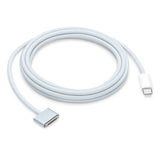
- Certified OWC Thunderbolt 5 cable included
What’s in the Box
- (1) OWC Mercury Helios 5S PCIe Expansion Solution
- (1) 0.7M (28″) Thunderbolt 5 Cable
- (1) 90W External Power Supply
- (1) 1.8M (70.9″) Power Cable
- (1) Getting Started QR Insert Card
- 3 Year OWC Limited Warranty

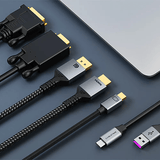
OWC Thunderbolt Cable Included
OWC Mercury Helios 5S comes with a certified 0.7-meter OWC Thunderbolt 5 (USB-C) cable. If your workflow demands a different length, OWC Thunderbolt 5 (USB-C) cables are the perfect choice.

OWC, Trusted by Pros & Enthusiasts the World Over
We build our hardware to the highest standards of reliability and performance. Because 100% reliability is always the goal, we rigorously quality-test and back the Mercury Helios 5S with a 3 Year OWC Limited Warranty and renowned support.
- Up to 6000MB/s bandwidth available for simultaneous read/write; actual throughput depends on the installed card, host, and connected devices.
- PCIe slot: (1) PCIe 4.0 x4 in an x16 mechanical slot for half-length, full-height, single or double-width cards.
- Each Thunderbolt 5 (USB-C) port provides up to 80Gb/s and 15W power delivery; display and device support depend on host computer capabilities.
New to Thunderbolt? Learn More
Not sure which generation you need? These quick guides explain the differences — no jargon.


Not sure which Thunderbolt solution you need?
Tell us your Mac and what you want to connect or store, and our certified technicians will recommend the right gear. Email helpdesk@macfixit.com.au.