
CalDigit TS4 Thunderbolt Station 4 - Thunderbolt 4 Dock
Shipping cost is $11.90 (flat rate) under 5kg (excluding NT).


Thunderbolt Station 4
Now in its 4th iteration, the Thunderbolt Station features a classic re-design based on the first dock ever introduced by CalDigit. This dock is the most powerful ever created, with the widest array of connections and support for high-speed data transfers. It is also one of the very few docks on the market capable of 2.5GbE connections - paving the way for future generations of Thunderbolt products!
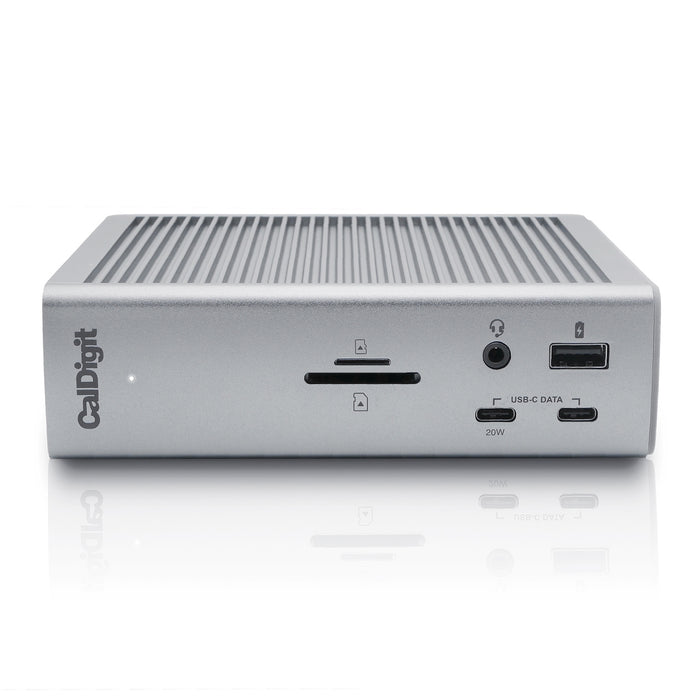
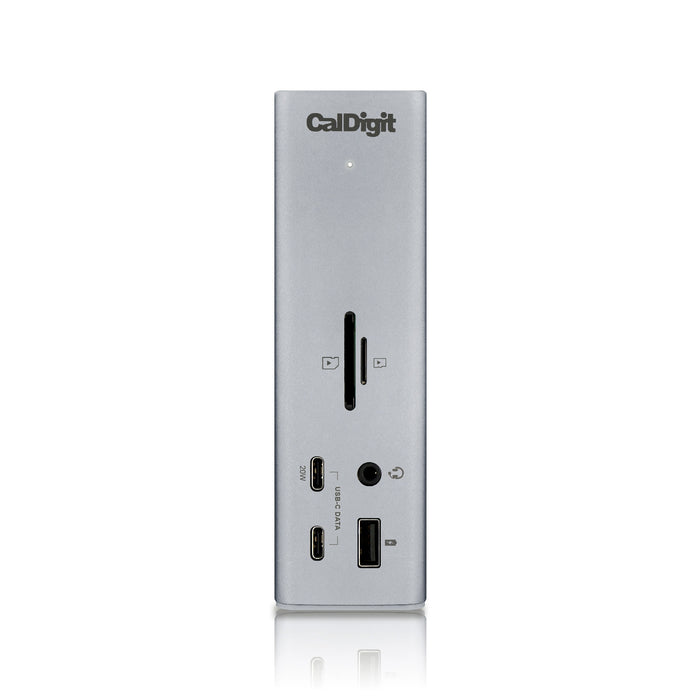
The flagship product, the Thunderbolt Station 4 has everything you need for a complete workstation solution. Built for people who demand performance and quality of materials, the TS4 is equipped with an impressive number of features including 18 ports including USB 3.0/USB-C, Thunderbolt 4 and 10Gb Ethernet RJ-45 - making it one of the most advanced docking stations in existence.
More Is More
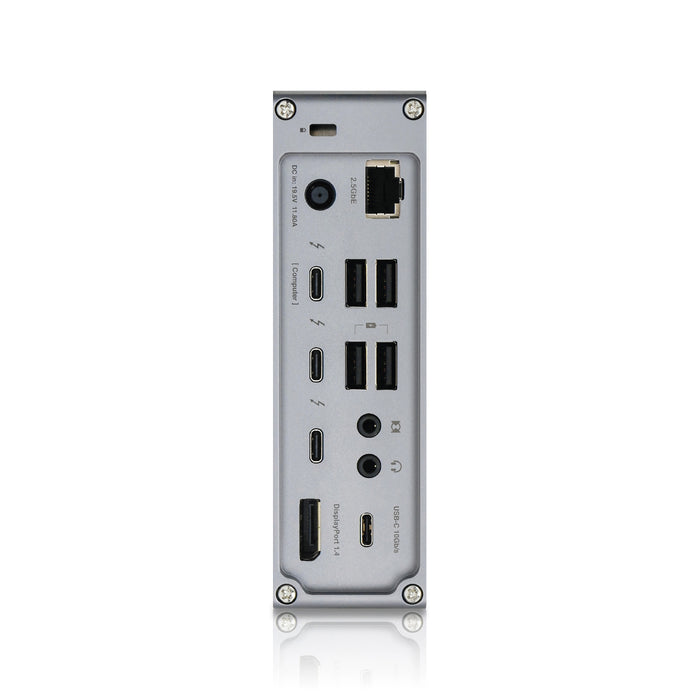
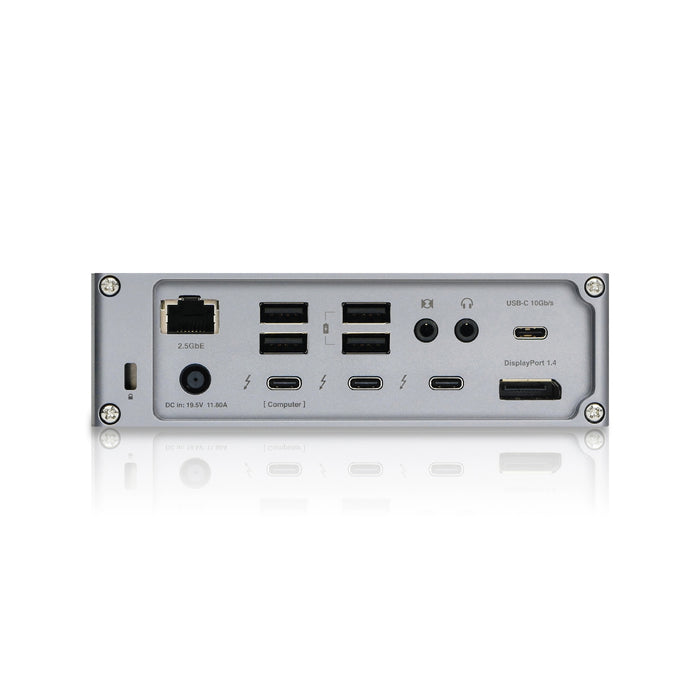
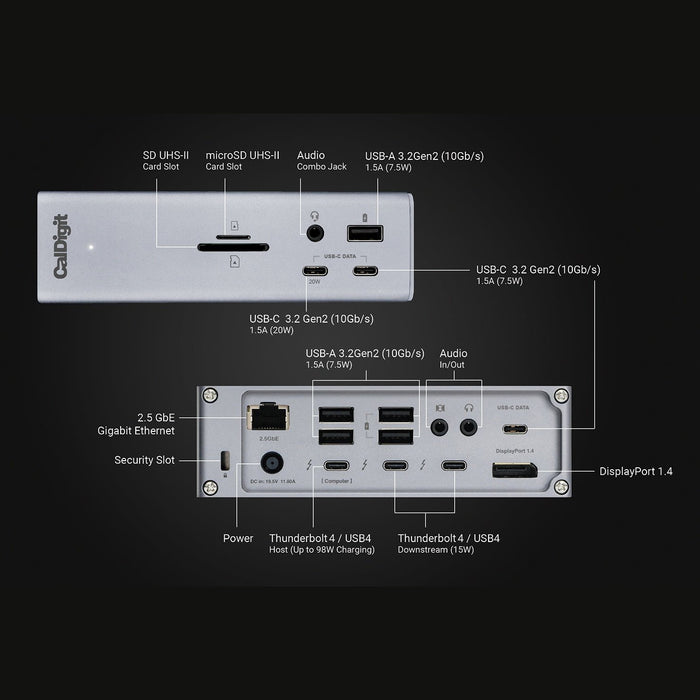
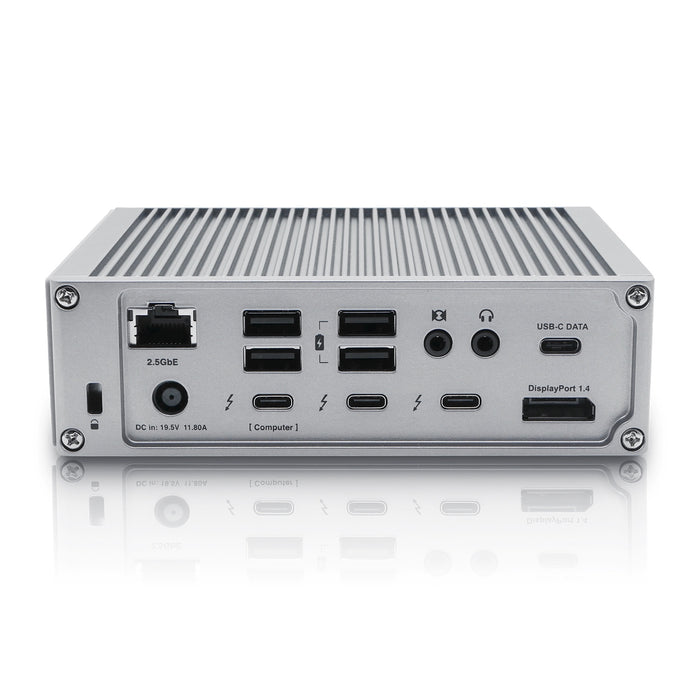
The TS4 offers a staggering 18 ports of connectivity, the most featured on any Thunderbolt dock ever.
The purpose of a device like this is to never run out of ports, and for the majority of us, that should certainly not be the case with the TS4.
Universally Compatible
Having the ability to use the TS4 on any Type-C computer or tablet is incredibly convenient.
Compatible with Thunderbolt 4, Thunderbolt 3, USB4, and USB-C computers, the TS4 adapts to the host computer it connects to, providing the features available to your computer or tablet.
¹ Requires macOS 11.4 (Big Sur) or above
² Functionality is dependent on host computer or tablet’s capabilities.
Fastest Laptop Charging
When it comes to laptop charging the TS4 provides up to 98W of power delivery.
That is the highest charging provided by any Thunderbolt 4 dock, and is ideal for larger screen laptops that require more power.
For laptops or tablets that require less than 98W, the TS4 will only supply the wattage required by your device.
Thunderbolt 4 / USB4 Ports
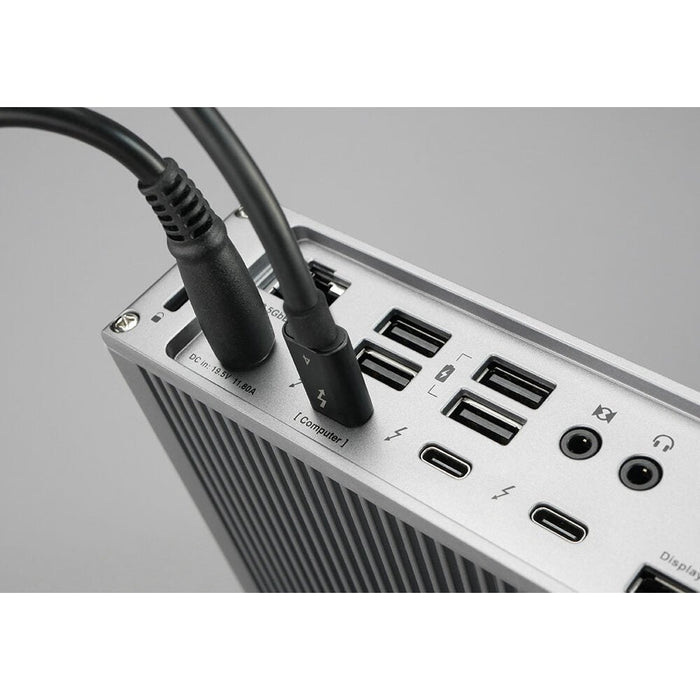
The TS4 features three Thunderbolt 4/USB4 ports with 40Gb/s performance.
One of the ports is used as the host connection to the laptop, and the two remaining ports can be used to connect Thunderbolt 4, Thunderbolt 3, USB4, or USB-C devices to the TS4. This includes monitors, SSDs, hubs, and much more.
8 USB Ports
With 8 USB ports on the TS4, a mixture of USB-A and USB-C, you have plenty of port connectivity to connect your USB accessories*.
All of the USB ports on the TS4 offer 10Gb/s performance.
*USB-C & USB-A ports are for data only. Users who wish to connect monitors must connect them to the spare Thunderbolt 4/USB4 ports.
20W USB-C Port
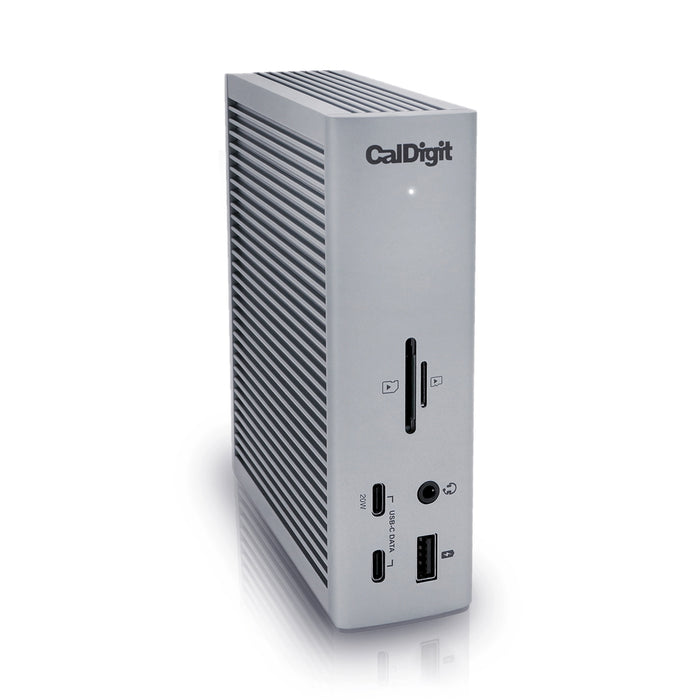
One of the front-facing USB-C ports can supply up to 20W of power for your attached USB-C device.
This is ideal for accessories that require more power, such as Apple’s MagSafe wireless charger.
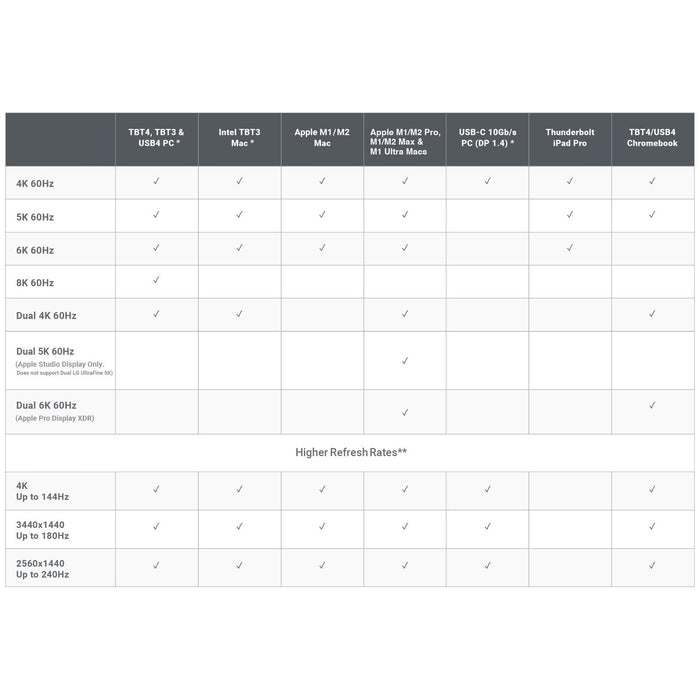
Single 8K or Dual 60Hz Displays
When it comes to connecting a monitor the TS4 offers outstanding visual clarity.
Single Monitor
If you’re looking to add a single monitor to the TS4 you can either connect it to the DisplayPort connector or to one of the spare Thunderbolt 4 ports. If you wish to connect a HDMI monitor you can either connect an Active DisplayPort to HDMI Adapter, or use a USB-C to HDMI Adapter.
Dual Monitors
macOS users on M1 Pro, M1 Max, or Intel based Macs can connect up to dual displays.
M1 based Macs do not support dual monitors through their Thunderbolt ports.
Windows PC Thunderbolt 3 and Thunderbolt 4 users can connect up to dual displays.
*Some refresh rates require DP.14 HBR3 and DSC 1.2 support from host, GPU and monitor. Some Thunderbolt 3 hosts that only support DP 1.2 will be capped at a lower resolution & refresh rate. The bit/colour depth may vary in order to support higher refresh rates.
The support of higher refresh rates may vary due to OS updates.
Some Windows PC manufacturers have decided to restrict functionality on their Thunderbolt 3 and USB-C ports such as charging and monitor compatibility. Check to see if your PC supports external monitors.
2.5 Gigabit Ethernet
The TS4 is a dock that provides a lot of unique features, and that is certainly the case with the inclusion of 2.5GbE.
2.5GbE is 2.5x faster than traditional Gigabit Ethernet, and is becoming the new standard for routers, switches, and NAS devices.*
Of course you can use the 2.5GbE port on the TS4 with traditional 1GbE Ethernet devices.
*2.5GbE performance requires a Thunderbolt host & 2.5GbE compatible devices or above.
Tablets
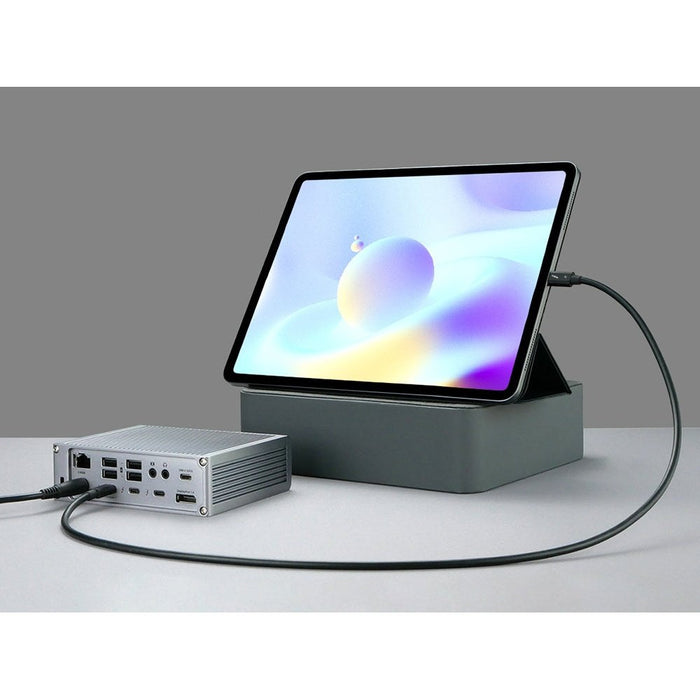
Connect the TS4 to your Thunderbolt/USB-C iPad, or Windows tablet, and take your workflow to the next level.
*Full tablet functionality will be dependent on your tablet’s capabilities.
SD 4.0 & microSD
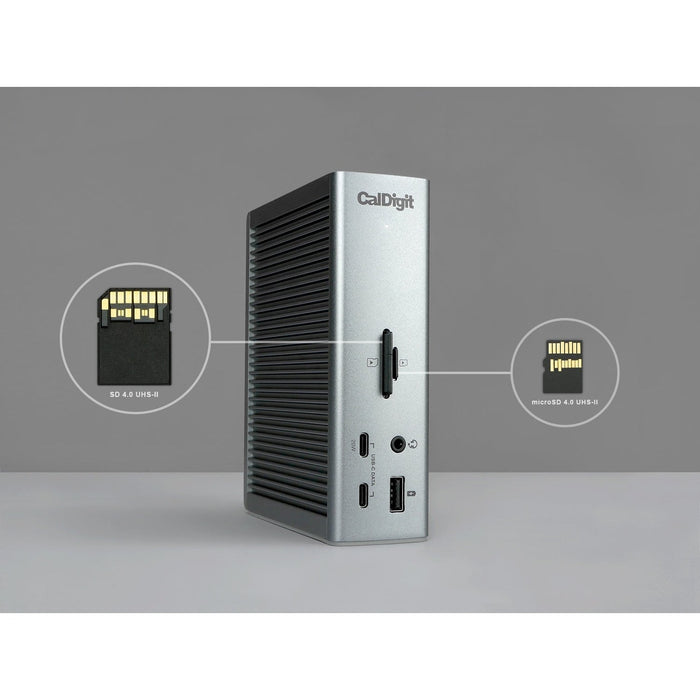
The front facing SD and microSD connectors offer a convenient way to access your SD cards. Both card slots offer UHS-II performance for the best possible speeds.
Offline Charging
The front USB-A port, all of the USB-C ports, and two of the rear USB-A ports on the TS4 provide offline charging.
This function allows those specific ports the ability to charge your USB devices, such as phones and tablets, even when the TS4 is not connected to a host device.
3X Audio Ports
Some people prefer to connect their headphones to the front of a dock for easy convenience, whilst others prefer to have them plugged into the back of a dock to keep their workflow cleaner.
The TS4’s two audio output ports, one on the front and one on the back, cater for either scenario*.
The back of the device also offers an audio input port for connecting a microphone.
*Only the front audio combo port, or the rear audio in and out ports can be used at once. Audio will default to the front port if both front and rear ports are used.
Security Lock
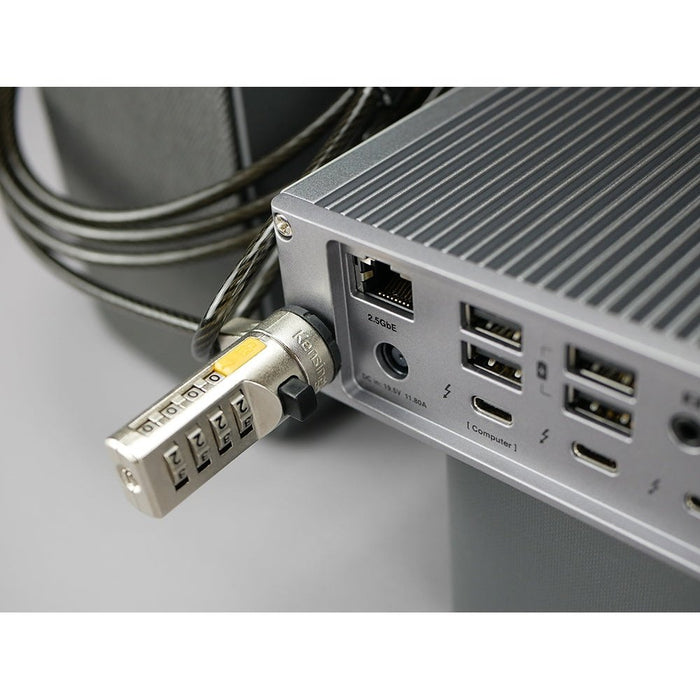
When you have the world’s most powerful dock you need to make sure no one takes it from your desk! The TS4’s Lock allows you to secure the dock for added protection.
Apple SuperDrive
Devices such as the Apple SuperDrive are recommended by Apple to be directly connected to a laptop as they require extra power. CalDigit has developed a driver for the SuperDrive so that it can be directly connected to the TS4.
*Requires a one-time driver install.
Interface
Minimum System Requirements
Power Delivery
Size & Weight
Height: 5.55” (141.0mm)
Width: 1.65” (42.0mm)
Length: 4.46” (113.0mm)
Weight: 1.41 lbs (0.64kg)
In the Box
1 x CalDigit TS4
1 x Thunderbolt 4 Cable (0.8m)
2 x Rubber Feet Strips
1 x Power Cord
1 x Power Supply (230W)
Australian Owned Business
Macfixit Australia is an Australian owned and operated business based in Melbourne, Victoria and we've been operating since 2005.
Fast Flat Rate Shipping on all orders
Shipping cost is $11.90 (flat rate) for any size order. Express Options are available in cart/checkout. All in-stock orders are shipped the same day if received by 10.30 AM (Eastern Time Victoria). Orders received after 11:00 AM are shipped the following business day.
100% Satisfaction Guaranteed
We fully guarantee all of our products. If for some reason you are not happy with any item you purchase from us you may return it for a refund (see Return Policy).
We do NOT sell or trade our customer information
Macfixit Australia respects your privacy. We never rent, sell or trade your contact information such as your name, address, phone# or e-mail address.
Convenient and Secure Shopping
All items on this website can be purchased safely online using our secure shopping cart. Security is provided by the best internet commerce technology available. We use Symantec Norton as our SSL (Secure Socket Layer) digital certificate provider, allowing our customers the strongest certificate services available. Our website is also scanned by McAfee Secure daily. Every McAfee SECURE certified site is tested and certified to be free of malware, viruses, phishing attacks.
Customer Reviews Gold Stars
We are part of the Google Trusted Store program for your security and verification of our service. Check out our Google Trusted Stores Reviews here.
Customer Service
At Macfixit Australia) we’re 100% committed to serving our customers. We check e-mail messages throughout the day and, in most cases we respond within minutes of receiving them. Please feel free to contact our Customer Service Department with any questions Mon-Fri, 10am to 5.30pm (Melbourme, Victoria Time) via e-mail us under this link.