

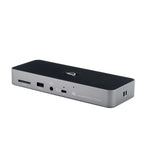

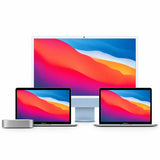


With every new generation of Macs and PCs boasting more power and fewer ports, having the right connectivity hub has become essential. Enter the OWC Thunderbolt 5 Hub—a sleek, future-ready solution that dramatically expands your device’s potential.
Whether you’re a creative pro, power user, or productivity guru, this compact hub delivers massive performance in a streamlined package. Let’s take a closer look at what makes it so impressive. Buy now!
The OWC Thunderbolt 5 Hub brings blazing-fast 80Gb/s bi-directional bandwidth, doubling the speed of Thunderbolt 4. That means lightning-fast data transfers, smooth 4K/8K video editing, and zero bottlenecks in your workflow.
For even more demanding tasks—like connecting ultra-high-res displays—the hub can dynamically allocate up to 120Gb/s using Bandwidth Boost. That’s perfect for creatives who demand more from their gear.
At its core, this hub is all about versatility. With just one Thunderbolt 5 port on your laptop, you get:
• 1x Host Port - Thunderbolt 5 (USB-C) (up to 80Gb/s bi-directional data speed and up to 120Gb/s display bandwidth)
• 3x Thunderbolt 5 (USB-C) ports
• 1x USB-A port
Connect your external drives, monitors, cameras, audio gear, and more—without juggling cables or sacrificing performance.

Power-hungry? No problem. The OWC Thunderbolt 5 Hub offers up to 140W of total power, including 100W passthrough charging for your MacBook Pro or other laptops. That’s more than enough to keep your devices charged and your workspace cable-clutter-free.
Need more screen real estate? The hub supports up to three 8K displays at 60Hz with Display Stream Compression (DSC). That’s ideal for video editors, graphic designers, and anyone working in ultra-HD environments.

Display Support
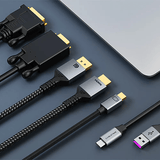
OWC knows users have a mix of new and older tech. That’s why this hub is fully backward compatible with:
Plus, it supports daisy-chaining, so you can connect multiple hubs, drives, or displays in sequence—without losing performance.
The OWC Thunderbolt 5 Hub is more than just a connectivity solution—it’s a productivity powerhouse. Whether you’re editing 8K footage, backing up large files, or running a high-end multi-monitor setup, this hub has you covered.
If you’re ready to future-proof your workflow, this is the hub to get.
