




The Apple Thunderbolt Display (model A1407) is a sleek, high-quality monitor, but it has one common weakness: the built-in all-in-one cable. Over time — especially with frequent bending or movement — the Thunderbolt connector in this cable can become faulty, causing the display to stop working even though the screen, USB and camera are still fine.


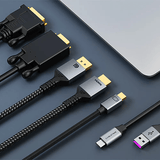
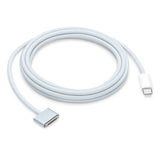
Even though the all-in-one cable is the default connection, the rear Thunderbolt port works independently. By connecting directly, you bypass the faulty internal cable and restore full display functionality — including USB, the FaceTime camera and speakers.
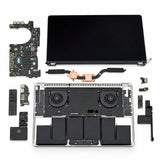
If you'd like to remove the faulty Apple cable entirely, the Thunderbolt cable can be installed internally. This involves fully disassembling the display — removing the glass and LCD panel, taking out the combined Apple Thunderbolt and MagSafe cable assembly, and connecting the standalone Thunderbolt cable directly to the logic board. The result is a much cleaner, permanent setup, though you'll no longer have the MagSafe charging cable.
Be aware this is an advanced repair. It requires good technical skill, the right tools, and a fair amount of time and patience to open the display, work around the fragile glass and panel, and reassemble everything correctly. If you're not experienced opening Apple displays, we strongly recommend leaving it to a professional.

Caution: opening the display exposes internal components that can hold residual electrical charge. Before you begin, make sure it is completely disconnected from power and left unplugged for some time. Work slowly and carefully — the glass and panel are fragile and easily damaged.
Macfixit can perform the internal cable modification, or help you choose the right cable and adapter for your Mac. Email helpdesk@macfixit.com.au and our team will help.