


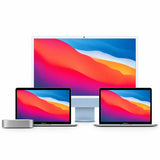
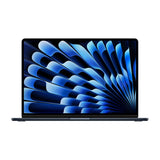


Apple Silicon Macs (M1, M2, M3, M4) are excellent for performance and battery life—but they come with a major limitation: most only support one external display natively. That’s a problem for professionals needing more screen space.

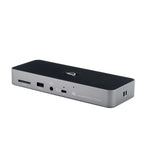
The solution? The new OWC USB‑C Quad HDMI 4K Display Adapter, which allows you to connect up to four external 4K displays at 60Hz through a single USB‑C port—even on base-level Macs that only support one screen by default. Available now at Macfixit Australia.
Base models like the MacBook Air and Mac mini with M1/M2/M3/M4 chips are restricted by Apple to support just one external monitor, despite having multiple USB‑C/Thunderbolt ports. This makes extended desktops, multitasking, and professional work extremely limiting.
This is a hardware-level restriction—not something you can override with simple settings or standard dongles.
The OWC Quad HDMI Adapter leverages DisplayLink technology—a hardware and software-based video compression and rendering engine that uses your Mac’s USB connection to add extra displays.
It includes the DisplayLink DL-7400 chipset, which offloads video processing from your Mac and enables multi-display output—even when your Mac officially only supports one external monitor.


To use this adapter, you must install DisplayLink Manager—a free app from Synaptics (the makers of DisplayLink). Here’s what to know:
Download DisplayLink Manager from the official DisplayLink site.
Open and install the app on your Mac.
Go toSystem Settings → Privacy & Security → Screen Recording and enable DisplayLink Manager.
This allows DisplayLink to mirror and extend your desktop.
This is essential; without it, external monitors will not function.
Reboot your Mac if prompted.
💡 Don’t worry: DisplayLink is a trusted, stable, and widely used solution, supported by many major brands including OWC, Dell, HP, Lenovo, and others.
Connect up to 4 x 4K@60Hz HDMI displays using one USB-C port
90W Power Delivery passthrough – charge your Mac while using the dock
Bus-powered – no external power brick needed
Audio output via HDMI
Compact, travel-friendly form factor

OWC USB-C Quad HDMI 4K Display Adapter – Shop Here
Ships from Melbourne with fast local support.
Professionals: Creatives, coders, analysts, and designers
Remote Workers: Zoom, docs, email, research across 4 screens
Traders & Data Analysts: Live charts, graphs, and dashboards
Anyone stuck with 1 screen but needing 4!
If you own an Apple Silicon Mac and are frustrated by limited display output, the OWC USB-C Quad HDMI Adapter is your ultimate unlock. Combined with DisplayLink, it delivers powerful multi-monitor support while keeping your Mac charged and clutter-free.
🔗 Buy Now @ Macfixit Australia
Maximize your productivity. Multiply your screens. All from a single USB‑C port.