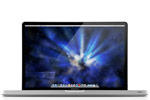
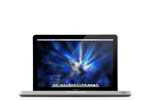
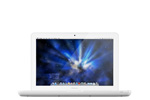
SATA III certified! The OWC Hard Drive tray allows you to replace the internal SuperDrive of your Macbook / Macbook Pro with a high performance SATA hard drive providing up to 1TB of additional internal hard drive space! This is especially great if you have a small capacity SSD drive installed and you need more space for your files.
OWC
Data Doubler
Optical to SATA Drive Converter Bracket Solution
Includes everything needed to replace your optical drive with a second
drive or Solid State Drive
Add up to an additional 1.0TB of internal storage. Add a Solid State Drive (SSD) for near instantaneous boot and app load. Even create a RAID array! Includes bracket, 5 piece toolkit, screws, and detailed installation guide for complete all in one solution.
Configuration flexibility is yours when you replace your MacBook or MacBook Pro's internal SuperDrive with the OWC Data Doubler. This custom engineered blue anodized aluminum bracket with attached PCB circuit board comes ready to mount any 9.5mm tall 2.5" SATA hard disk drive and even Solid State Drives. Then, just install the entire assembly into a MacBook or MacBook Pro 5.25" optical drive bay. OWC Data Doubler makes it easy to custom design how you want your internal storage to perform. Installed drives are recognized like any other high speed SATA storage device and can be setup and partitioned using the Apple Disk Utility Program.
Just a few of the configuration options you can enjoy with Data Doubler:
- Creating an individual volume with its own desktop icon.
- Combining a new drive with the existing internal drive for one larger volume (SPAN).
- Combining a new matching drive with existing internal for
high-performance RAID-0 Stripe volume.
- Configuring a new drive as a Time Machine® backup drive.
- Formatting one drive for the Mac OS and the other dedicated for Windows.
Power Tip
Spin-down hard drives sooner to save battery power.
Running an extra hard drive in your laptop can drain battery power faster than a single drive. But you can tell your Mac to put hard drives to sleep sooner than normal to save power.
This is an advanced tip that requires working in Terminal. For the step-by-step explanation, visit OWC blog.
NOTE: Apple's DVD Player application only works with an internal optical drive or Apple's external SuperDrive. To play DVDs with your removed optical drive after installing it in an external enclosure such as the OWC SuperSlim, we recommend the free VLC Player, which can be downloaded from https://www.videolan.org/vlc/
Specifications:
-
Supports: SATA / SATA 3G / SATA 6G Interface 2.5" Drive
or SSD (Solid State Drive) of up to 9.5mm (Super Slim) height.
-
Dimensions: 5"(D) x 5"(W) x 03"(H) (12.7 x 12.7 x 7.6mm)
-
Weight: 2.4oz. / 0.15lbs.
- One Year Australian Replacement Warranty
Manufacturer provided specifications for Other World Computing p/n DDAMBS0GB UPC#: 718122776276
Be sure to get the right device!
This device is compatible with...
MacBook Pro 17" "Early 2009"
"Mid 2009" "Early 2010"
"Early 2011" and "Late 2011"
Model ID / Info: Learn how to find your Mac's Model ID
- MacBookPro5,2 | 2.66GHz, 2.8GHz, 2.93GHz, 3.06GHz
- MacBookPro6,1 | 2.53GHz, 2.66GHz, 2.8GHz
- MacBookPro8,3 | 2.2GHz, 2.3GHz
- MacBookPro8,3 | 2.4GHz, 2.5GHz
MacBook Pro 15" "Late 2008",
"Mid 2009" "Early 2010"
"Early 2011" "Late 2011"
and "Mid 2012"
Model ID / Info: Learn how to find your Mac's Model ID
- MacBookPro5,1 | 2.4GHz, 2.53GHz, 2.66GHz, 2.8GHz, 2.93GHz
- MacBookPro5,3 | 2.66GHz, 2.8GHz, 3.06GHz
- MacBookPro5,4 | 2.53GHz
- MacBookPro6,2 | 2.4GHz, 2.53GHz, 2.66GHz, 2.8GHz
- MacBookPro8,2 | 2.0GHz, 2.2GHz, 2.3GHz
- MacBookPro8,2 | 2.2GHz, 2.3GHz
- MacBookPro9,1 | 2.3GHz, 2.6GHz, 2.7GHz
MacBook Pro 13" "Mid 2009"
"Early 2010" "Early 2011" "Late 2011"
and "Mid 2012"
Model ID / Info: Learn how to find your Mac's Model ID
- MacBookPro5,5 | 2.26GHz, 2.53GHz
- MacBookPro7,1 | 2.4GHz, 2.66GHz
- MacBookPro8,1 | 2.3GHz, 2.7GHz
- MacBookPro8,1 | 2.4GHz, 2.8GHz
- MacBookPro9,2 | 2.5GHz, 2.9GHz
MacBook 13" "Late 2008"
Model ID / Info: Learn how to find your Mac's Model ID
- MacBook5,1 | 2.0GHz, 2.4GHz
MacBook 13" "Late 2009"
and "Early 2010"
Model ID / Info: Learn how to find your Mac's Model ID
- MacBook6,1 | 2.26GHz
- MacBook7,1 | 2.4GHz
Special compatibility notes related to use of this product with 6Gb/s SSDs in the following machines:
2011 MacBook Pro 13" (Model ID MacBookPro8,1)
2011 MacBook Pro 15" (Model ID MacBookPro8,2)
2011 MacBook Pro 17" (Model ID MacBookPro8,3)
2012 MacBook Pro 13" (Model ID MacBookPro9,2)
2012 MacBook Pro 15" (Model ID MacBookPro9,1)
-
MAIN BAY: A 6G SSD may be utilized in main bay (move drive or second SSD into Optical Bay*) for reliable SATA Revision 3.0 6Gb/s performance in excess of 500MB/s.
(Model ID MacBookPro8,3) models. After successfully applying this update, your Boot ROM Version will be: MBP81.0047.B1E. Please read our very informative Blog Post for additional information.
OPTICAL BAY: The optical bay interface may either be SATA Revision 2.0 3Gb/s (300MB/s max) OR SATA Revision 3.0 6Gb/s. There is no way to specify/order this data interface with Apple, but you can confirm what interface version your optical bay offers by using 'About this Mac, More Info, Serial-ATA' info display.
Testing has demonstrated that Apple factory hardware does not reliably support a 6G (6Gb/s) Solid State Drive or Hard Disk Drive in the optical bay of 2011 and 2012 MacBook Pros (Model ID 8,1; 8,2; 8,3; 9,1; 9,2). If your OWC Data Doubler bundle comes with a 6G drive, you should ONLY install that drive in the main drive bay and utilize the Data Doubler to re-task your existing drive or install a new 3G SSD or HDD in the optical bay. PRE-2011 models can utilize a 6G drive in the optical bay, but will do so at a reduced 3G (3Gb/s) speed.
MacBook Pro 13" models: Apple does not support the use of 6Gb/s drives in the optical bay. While we have observed a high rate of success using SATA 3.0 6Gb/s drives in Apple 13" bays where 6Gb/s link is present, some systems may not operate properly with this setup. For guaranteed reliability/compatibility, we suggest 6Gb/s drives be used in the main drive bay only, and 3Gb/s hard drives or SSDs be used in the optical bay when a two-drive configuration is desired. We cannot guarantee proper or successful 6Gb/s drive operation in the Apple MacBook Pro 13" optical bay.
2008/2009 MacBook/MacBook Pro 13", 15", and 17" models. (Model IDs: MacBookPro5,1; 5,2; 5,3; 5,4; 5,5 and MacBook5,1; 6,1; 7,1) While a 6G SSD does function, it will only do so at SATA Revision 1.0 (1.5Gb/s) speeds rather that the SATA Revision 2.0 (3.0Gb/s) speed the machine can deliver. Should owners of these machines desire another SSD option, the Mercury Electra™ 3G SSD does run at the full SATA Revision 2.0 (3Gb/s) specification.
NOTE: Apple's DVD Player application only works with an internal optical drive or Apple's external SuperDrive. To play DVDs with your removed optical drive after installing it in an external enclosure such as the OWC SuperSlim, we recommend the free VLC Player, which can be downloaded from http://www.videolan.org/vlc/